lukew.com - LukeW Durable Patterns in AI Product Design
In my recent Designing AI Products talk, I outlined several of the lessons we’ve learned building AI-native companies over the past four years. Specifically the patterns that keep proving durable as we speed-run through this evolution of what AI products will ultimately become.
I opened by framing something I think is really important: every time there’s a major technology platform shift, almost everything about what an “application” is changes. From mainframes to personal computers, from desktop software to web apps, from web to mobile, the way we build, deliver, and experience software transforms completely each time.
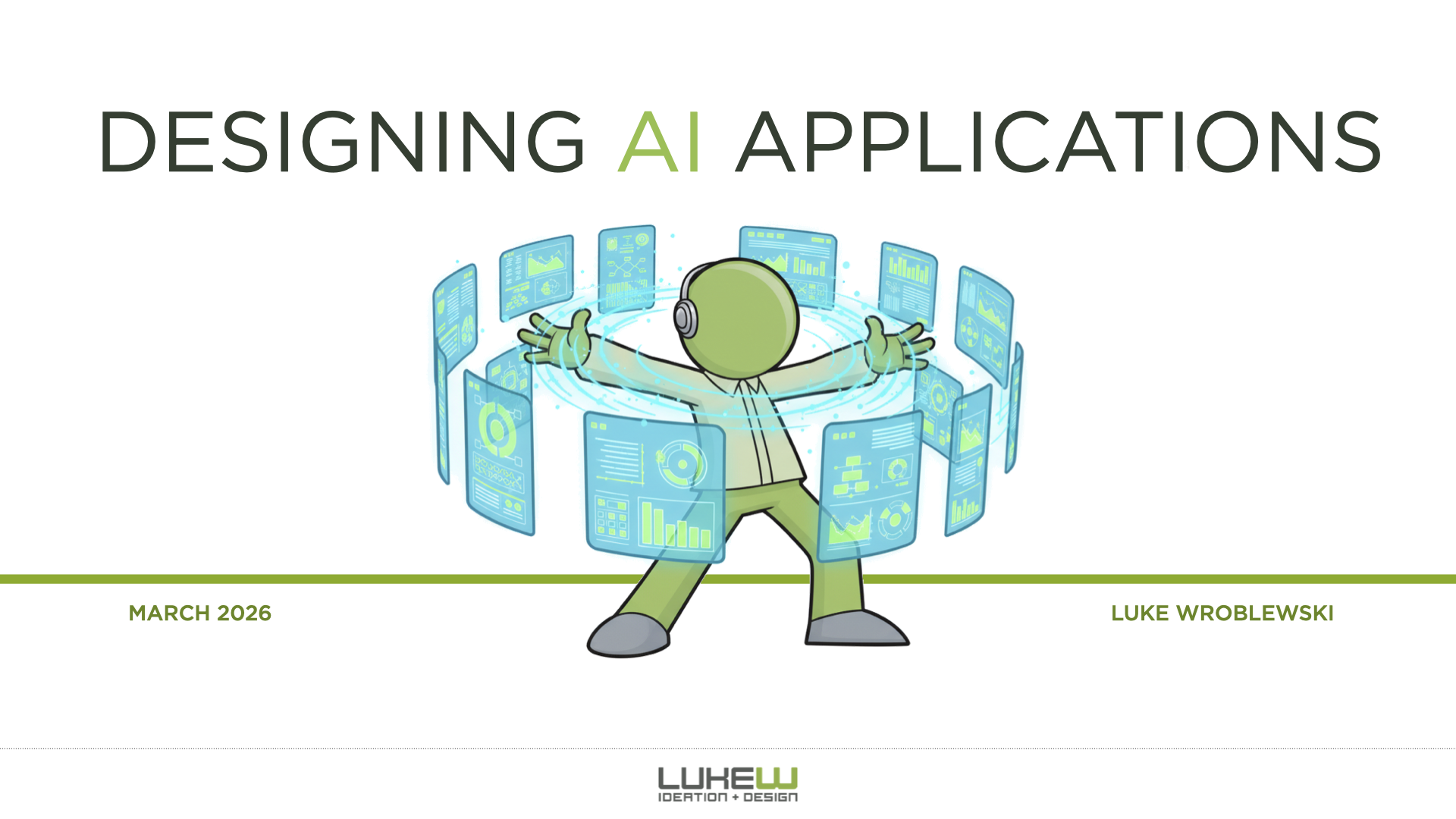
There’s always this awkward period where we try to cram the old paradigm into the new one. I dug up an old deck from when we were redesigning Yahoo, and even two years after the iPhone launched, we were still just trying to port the Yahoo webpage into a native iOS app. The same thing is happening now with AI. The difference is this evolution is moving really, really fast.
From there, I walked through the stages of AI product evolution as I’ve experienced them.
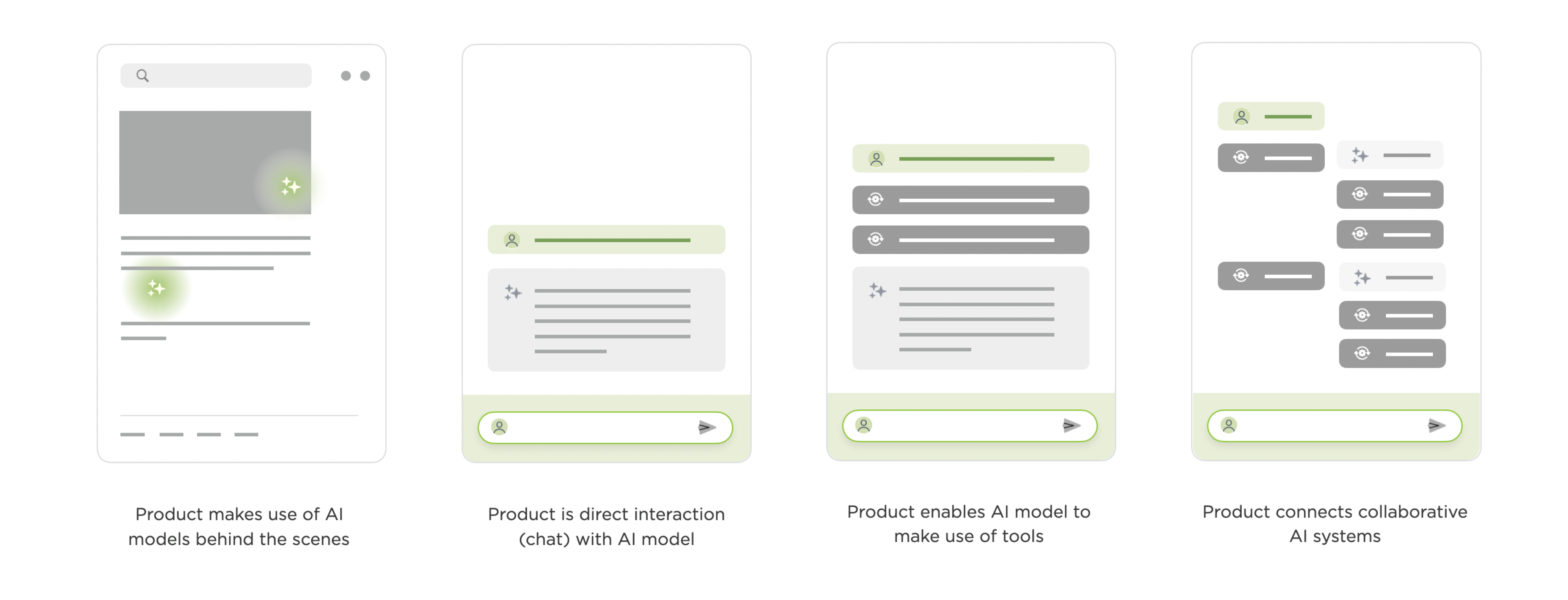
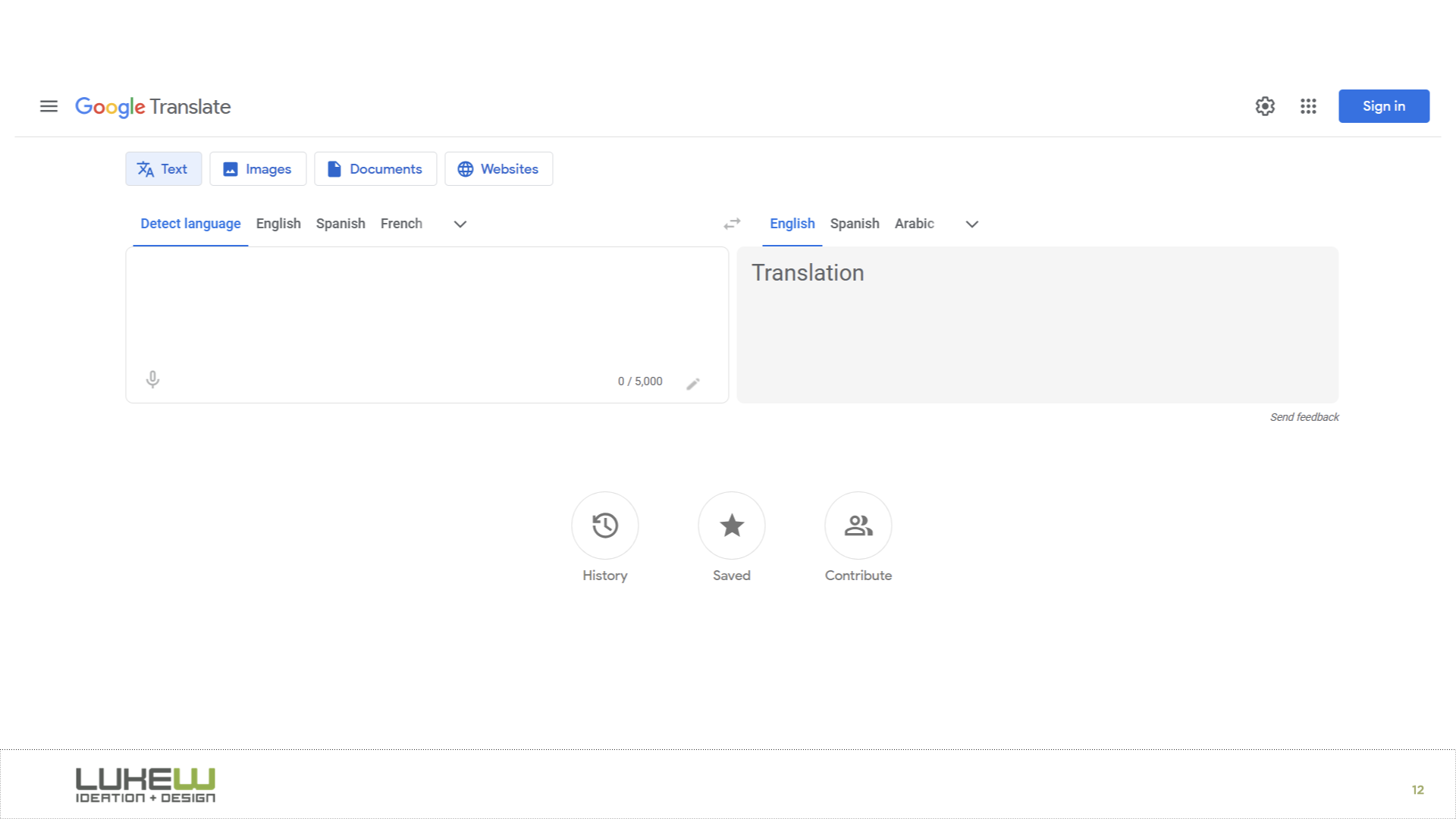
The first stage is AI working behind the scenes. Back in 2016, Google Translate was “completely reinvented,” but the interface itself changed not at all. What actually happened was they replaced all these separate translation systems with a single neural network that could translate between language pairs it was never explicitly trained on. YouTube made a similar move with deep learning for video recommendations. The UIs stayed the same; everything transformative was happening under the hood.
I remember being at Google for years where the conversation was always about how to make machine learning more of a core part of the experience, but it never really got to the point where people were explicitly interacting with an AI model.
That changed with the explosion of chat. ChatGPT and everything that looks exactly like it made direct conversation with AI models the dominant pattern, and chat got bolted onto nearly every software product in a very short time. I illustrated this with Ask LukeW, a system I built almost three years ago that lets people talk to my body of work in natural language. It seems pretty simple now, but building and testing it surfaced a few patterns that have carried over into everything we’ve done since.
One is suggested questions. When you ask something, the system shows follow-up suggestions tied to your question and the broader corpus. When we tested this, we found these did an enormous amount of heavy lifting. They helped people understand what the system could do and how to use it.
A huge percentage of all interactions kicked off from one of these suggestions. And they’ve only gotten better with stronger models. In our newer products like Rev (for creatives) and Intent (for developers), the suggestions have become so relevant that people often just pick them with keyboard shortcuts instead of typing anything at all.
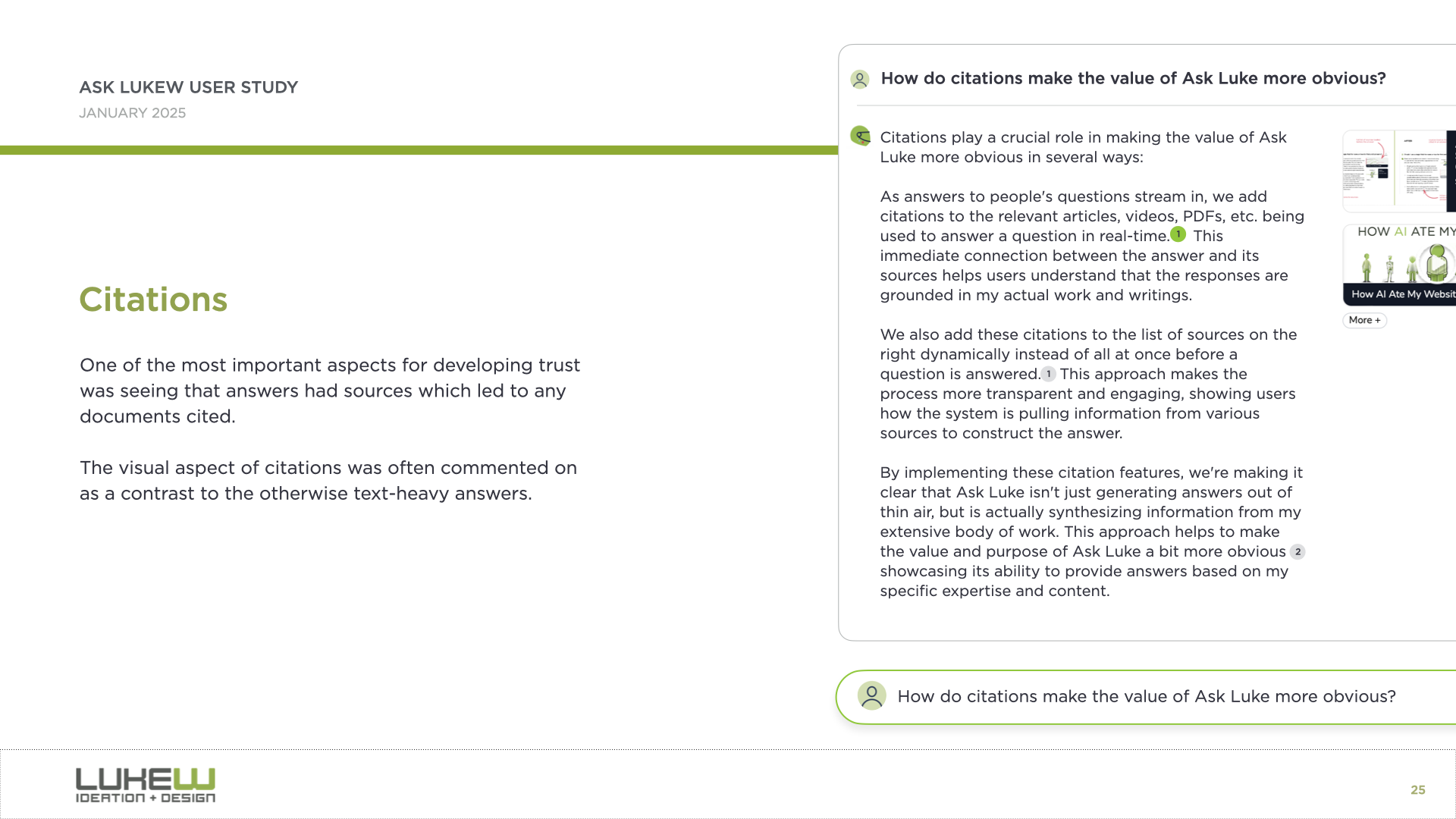
Another pattern is citation. Even just seeing where information comes from gives people a real trust boost. In Ask LukeW, you could hover over a citation and it would take you to the specific part of a document or video. This was an early example, but as AI systems gain access to more tools and can do much more than look up information, the question of how to represent what they did and why in the interface becomes increasingly important.
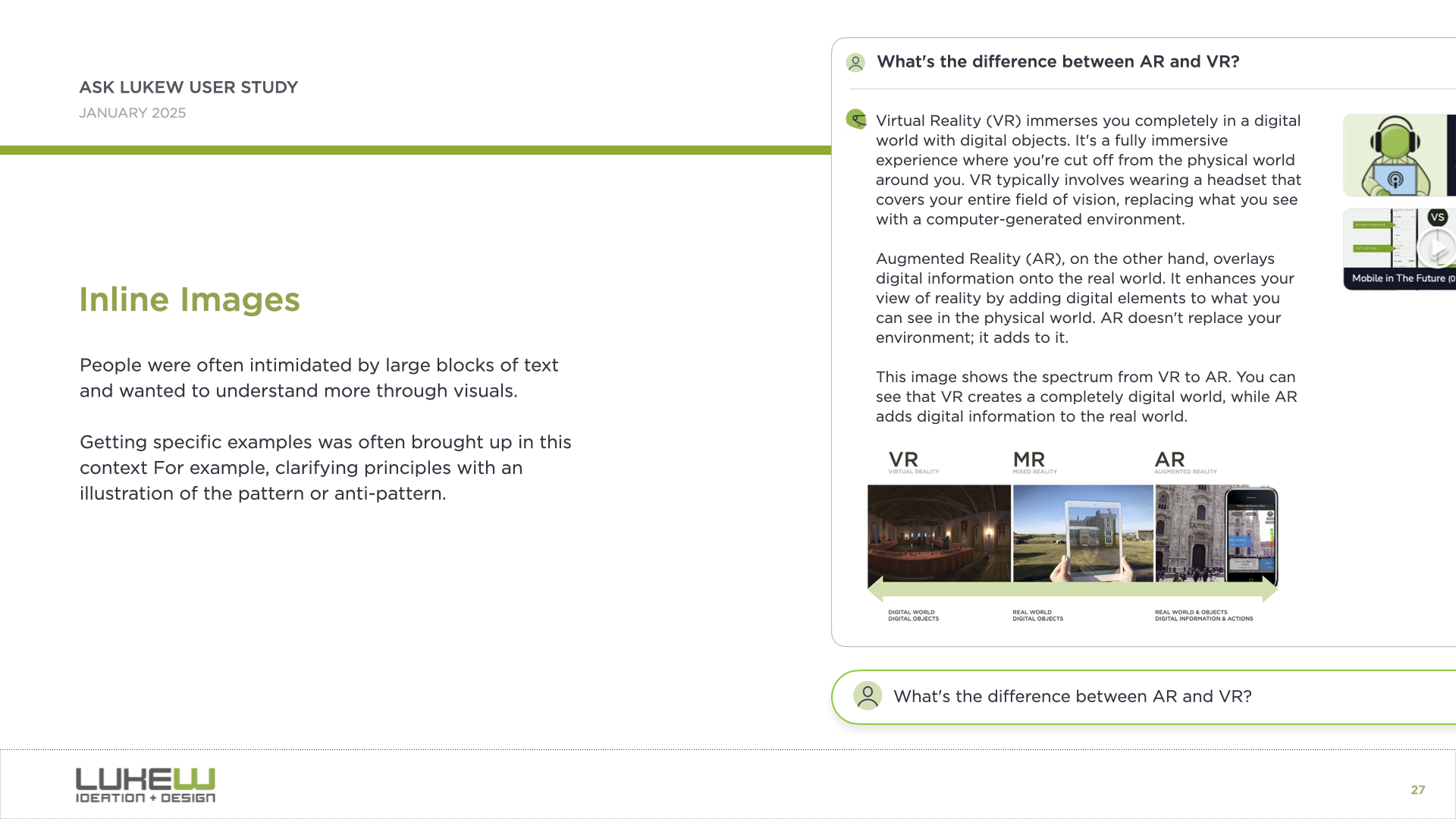
And the third is what I call the walls of text problem. Because so much of this is built on large language models, people are often left staring at big blocks of text they have to parse and interpret. We found that bringing back multimedia, like responding with images alongside text, or using diagrams and interactive elements, helped a lot.
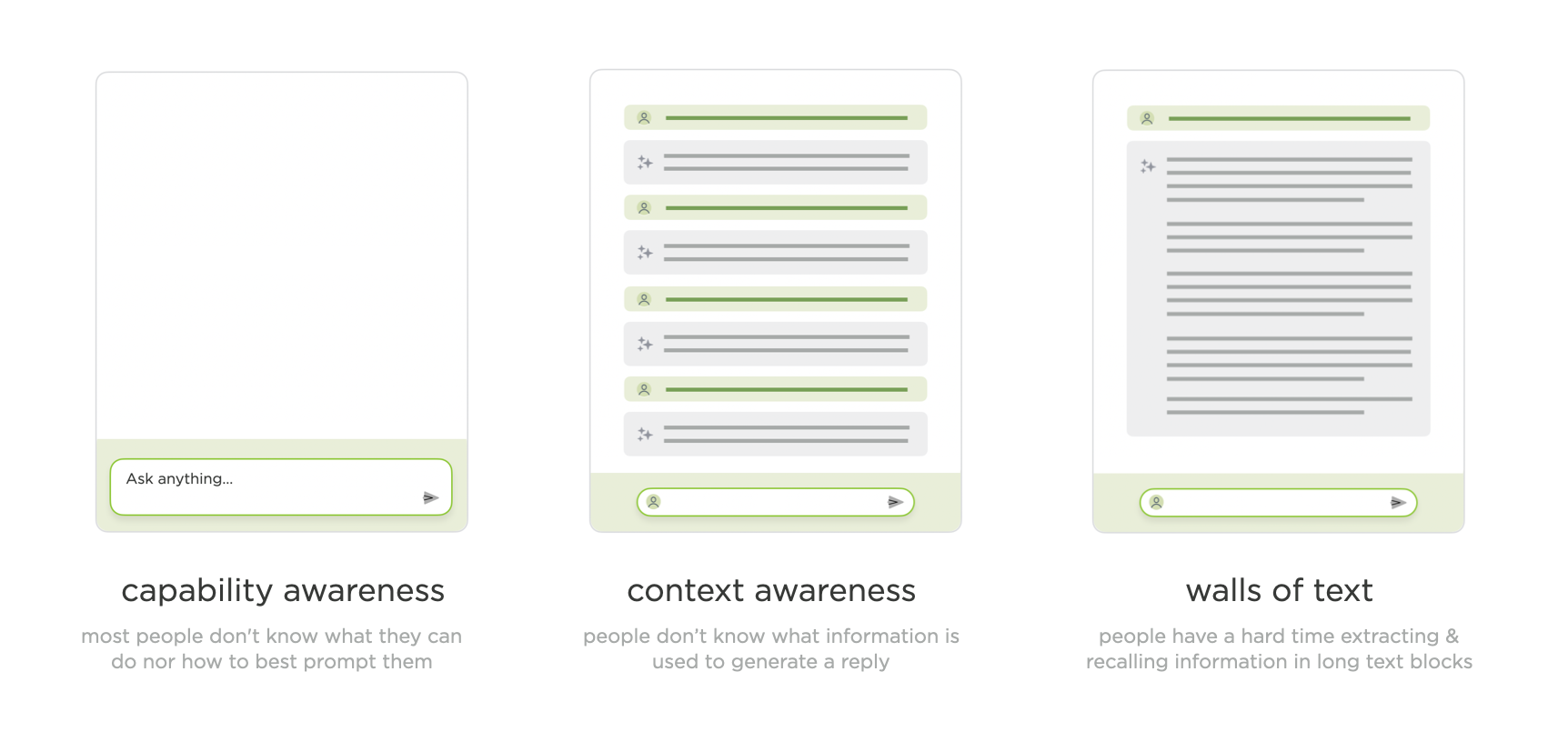
Through that walkthrough of what now seems like a pretty simple AI application, I’d actually touched on what I think are the three core issues that remain with us today: capability awareness (what can I do here?), context awareness (what is the system looking at?), and the walls of text problem (too much output to process).
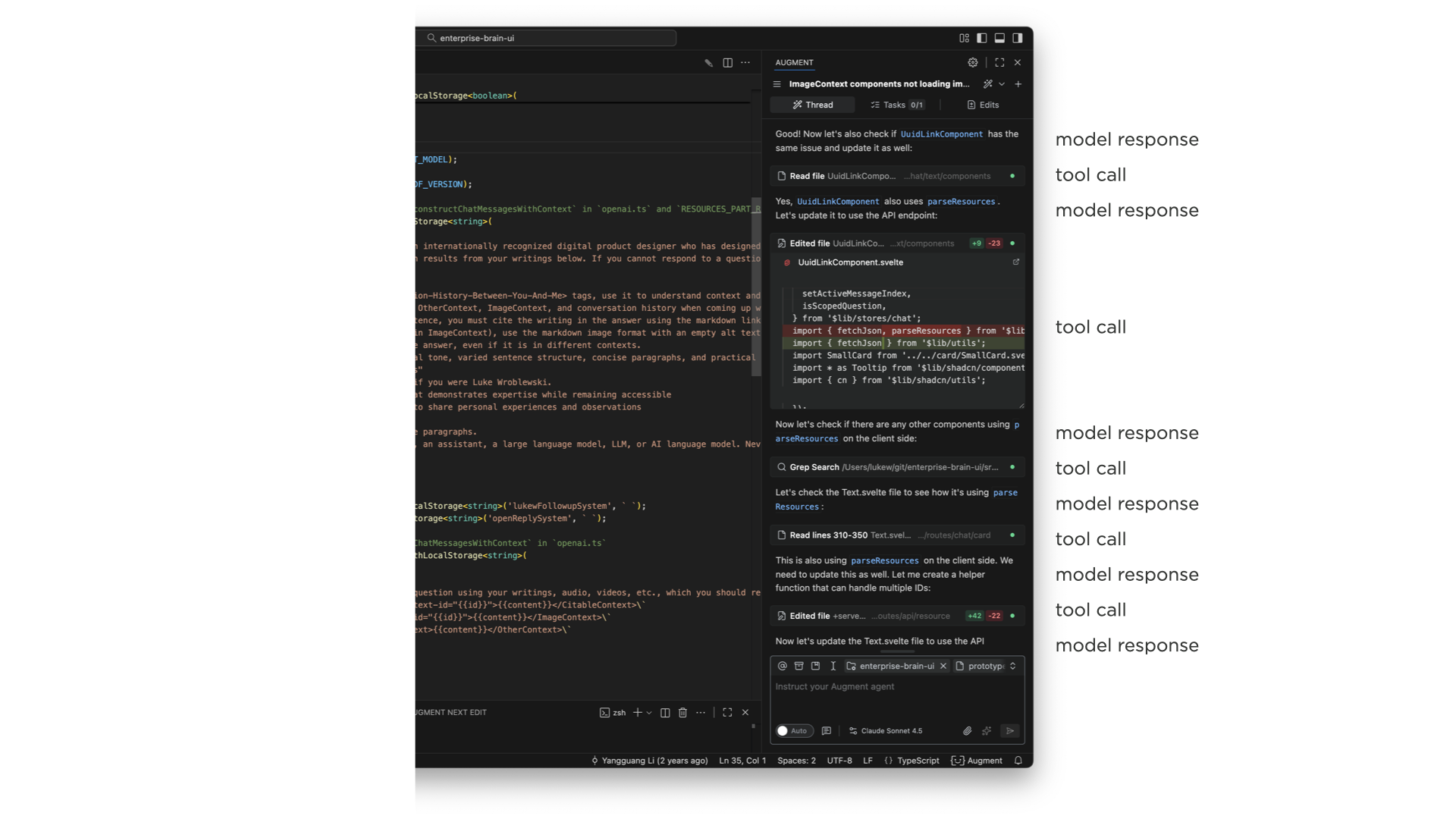
The next major stage is things becoming agentic. When AI models can use tools, make plans, configure those tools, analyze results, think in between steps, and fire off more tools based on what they find, the complexity of what to show in the UI explodes. And this compounds when you remember that most of this is getting bolted into side panels of existing software. I showed a developer tool where a single request to an agent produced this enormous thread of tool calls, model responses, more tool calls, and on and on. It’s just a lot to take in.
A common reaction is to just show less of it, collapse it, or hide it entirely. And some AI products do that. But what I’ve seen consistently is that users fall into two groups. One group really wants to see what the system is thinking and doing and why. The other group just wants to let it rip and see what comes out. I originally thought this was a new-versus-experienced user thing, but it honestly feels more like two distinct mindsets.
We’ve tried many different approaches. In Bench, a workspace for knowledge work, we showed all tool calls on the left, let you click into each one to see what it did, and expand the thinking steps between them. You could even open individual tool calls and see their internal steps. That was a lot.
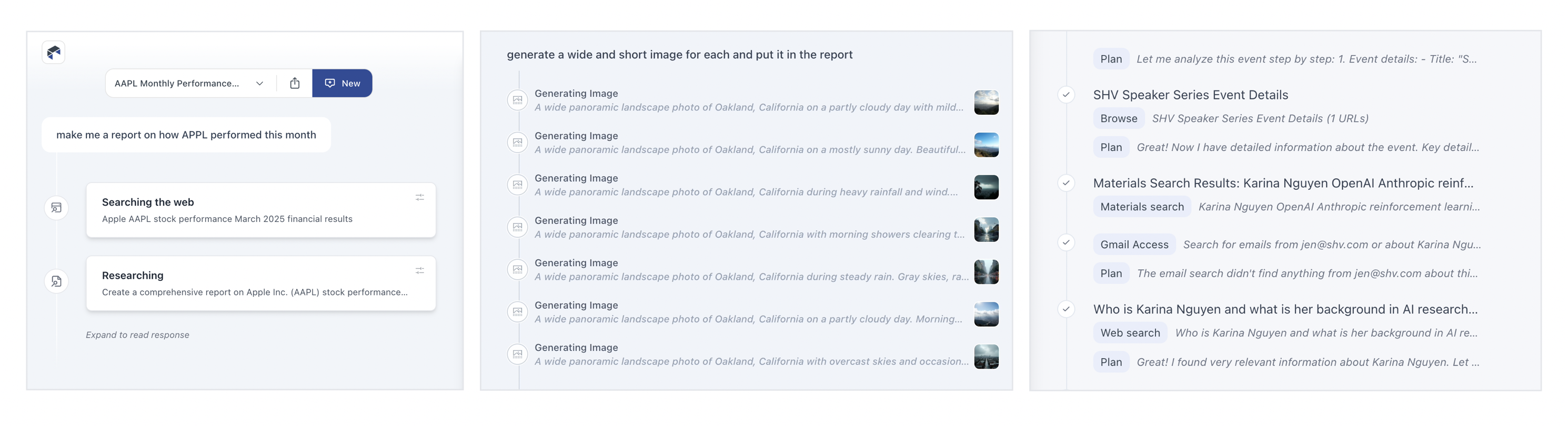
As we iterated, we moved from highlighting every tool call to condensing them, surfacing just what they were doing, and eventually showing processes inline as single lines you could expand if you wanted. The pattern we’ve landed on in Intent is collapsed single-line entries for each action. If you really want to, you can pop one open and see what happened inside, but for the most part, collapsing these things (and even finding ways to collapse collapses of these things) is where we are now.
We also experimented with separating process from results entirely. In ChatDB, when you ask a question, the thinking steps appear on the left while results show up on the right. You can scroll through results independently while keeping the summary visible, or open up the thought process to see why it did what it did. Changing the layout to give actual results more prominence while still making the reasoning accessible has worked well.
On the capability awareness front, I showed several approaches we’ve explored. One is prompt enhancement, where you type something simple and the model rewrites it into a much more detailed, context-aware instruction. This gets really interesting when the system can automatically search a codebase (like our product Augment does) to find relevant patterns and write better instructions that account for them.
Another approach was Bench’s visual task builder, where you compose compound sentences from columns of capabilities: “I want to… search… Notion for… a topic… and create a PowerPoint summarizing the findings.” This gives people tremendous visibility into what the system can do while also helping them point it in the right direction.
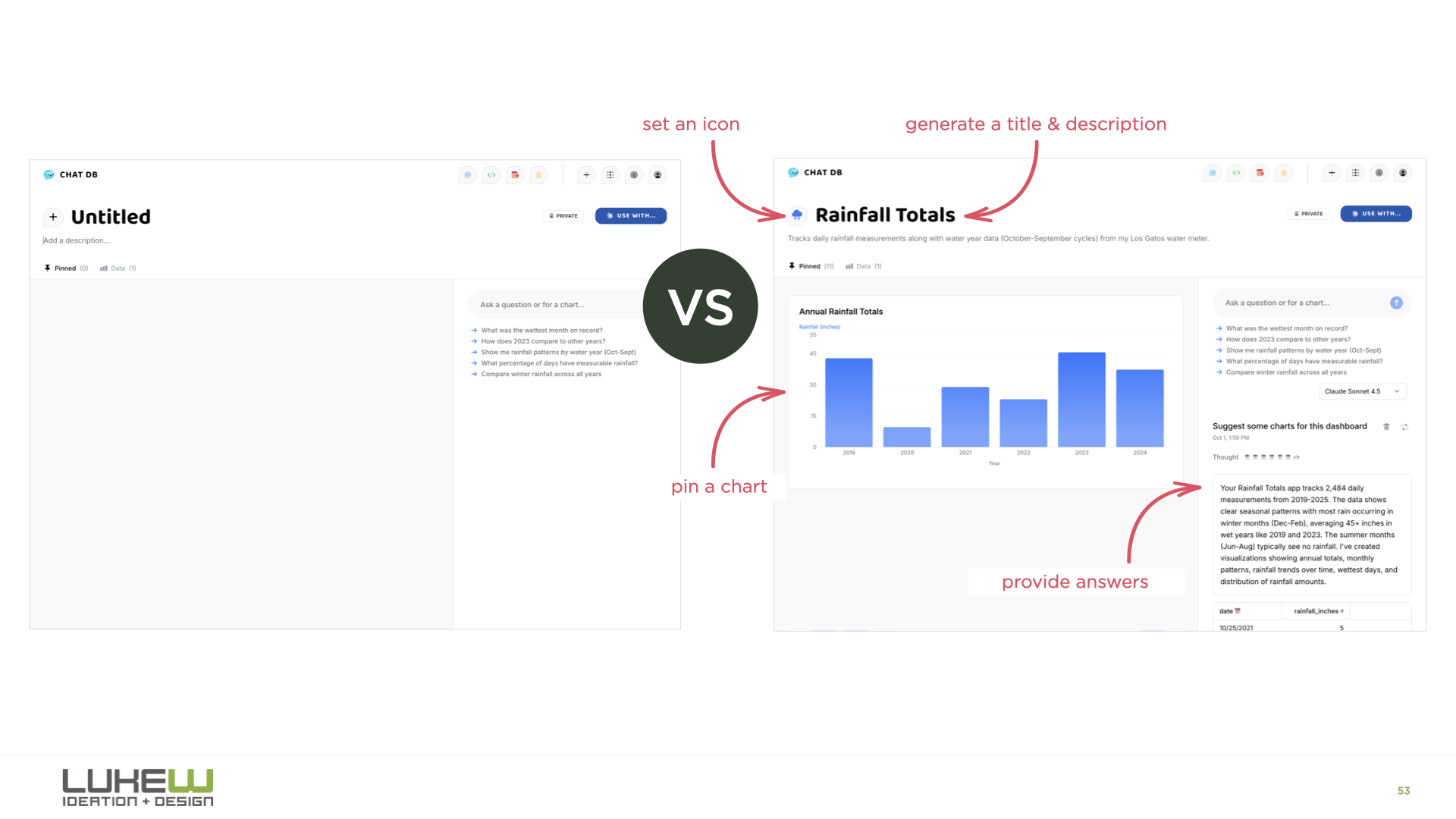
And then there’s onboarding. Designers are familiar with the empty screen problem, and the usual advice is to throw tooltips or tutorials at it. But it turns out we can have the AI model handle all of this instead. In ChatDB, when you drag a spreadsheet onto the page, the system picks a color, picks an icon, names the dashboard, starts running analysis, and generates charts for you. You learn what it does by watching it do things, rather than trying to figure out what you can tell it to do.
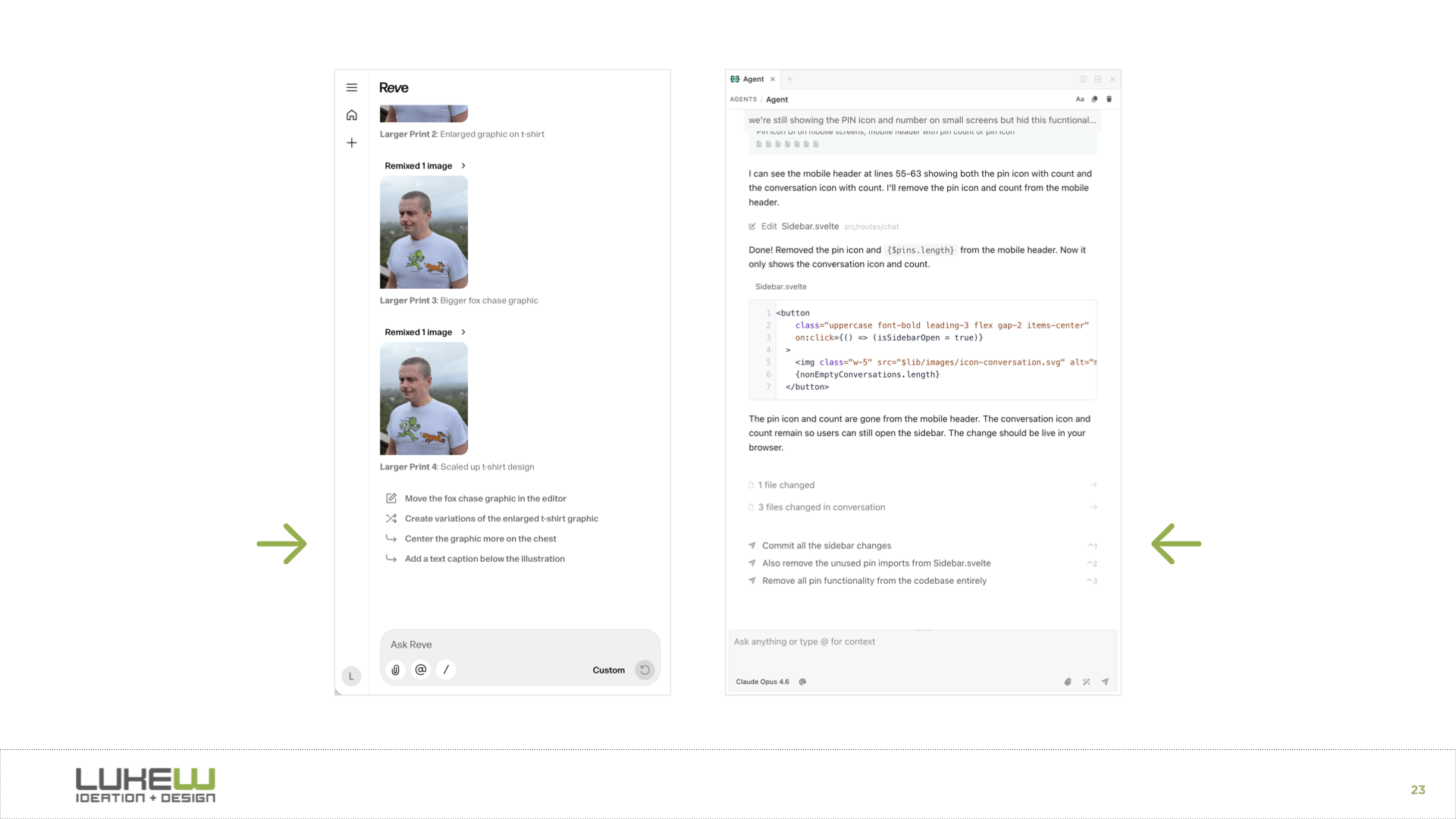
For context awareness, I showed how products like Reve let you spatially tell the model what to pay attention to. You can highlight an object in an image, drag in reference art, move elements around, and then apply all those changes. You’re being very explicit through the interface about what the model should focus on. I also showed context panels where you can attach files, select text, or point the model at specific folders.
The final stage I explored is agents orchestrating other agents. In Intent, there’s an agent orchestration mode where a coordinator agent figures out the plan, shows it to you for review, and then kicks off a bunch of sub-agents to execute different parts of the work in parallel. You can watch each agent working on its piece. I think there’s a big open question here about where the line is.
How much can people actually process and manage? If you use the metaphor of being a manager or a CEO, can you be a CEO of CEOs? I don’t think we know yet, but this is clearly where the evolution is heading.
The throughline of the whole talk was that while the final form of AI applications hasn’t been figured out, certain patterns keep proving their value at each stage. Those durable patterns, the ones that hang around and sometimes become even more important as things evolve, are the ones worth paying close attention to.